Help
Availability scheduling
The Availability tool helps members find a time that works for people, without an admin scheduling the event.

The grid shows the next 7 days in half-hour blocks. Tap or drag across cells to mark the times you'd want to could get together, then save.
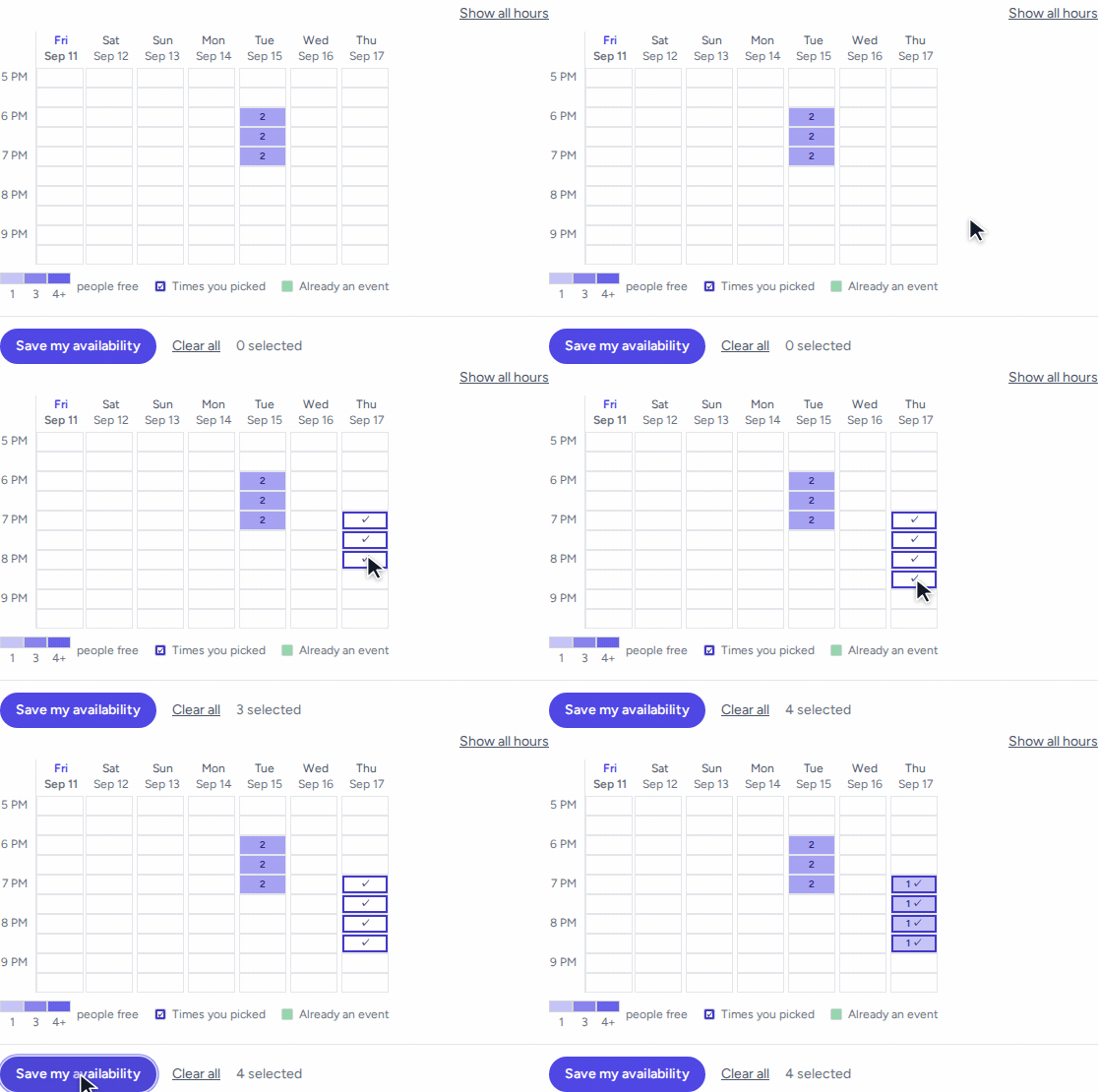
Everyone's input shows up in the grid. The cells show how many members are interested in an event at that time.
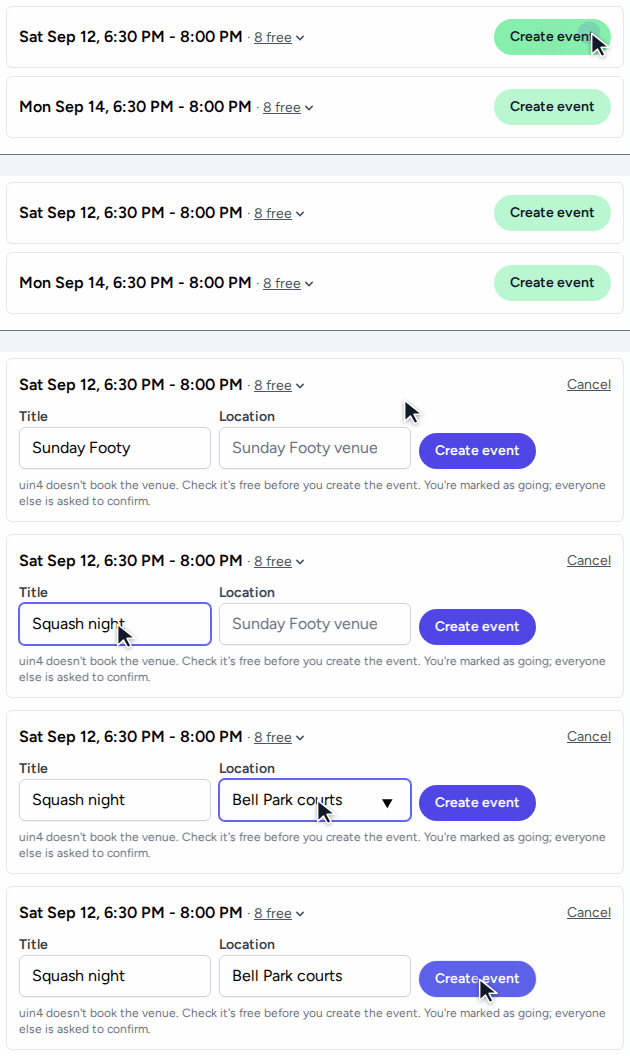
Once enough people are interested in a time slot, a member can make an event with a title and location.
Creating the event marks you as attending. Everyone else who marked as interested gets a notification the same way they would for any other event.
The weekly reminder
If nobody's marked their availability in a while, you can turn on a weekly reminder from your Profile page. See Notifications. It's off by default and goes quiet on its own for a group where nobody's answered since the last one.